Do graphics cards hold the secret to photorealistic real time rendering?

Published 27 July 2009

Posted by Greg Corke

Article tagged with: rendering, firepro, gpu, gpgpu


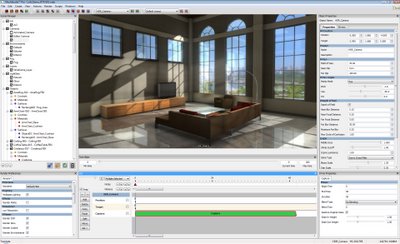
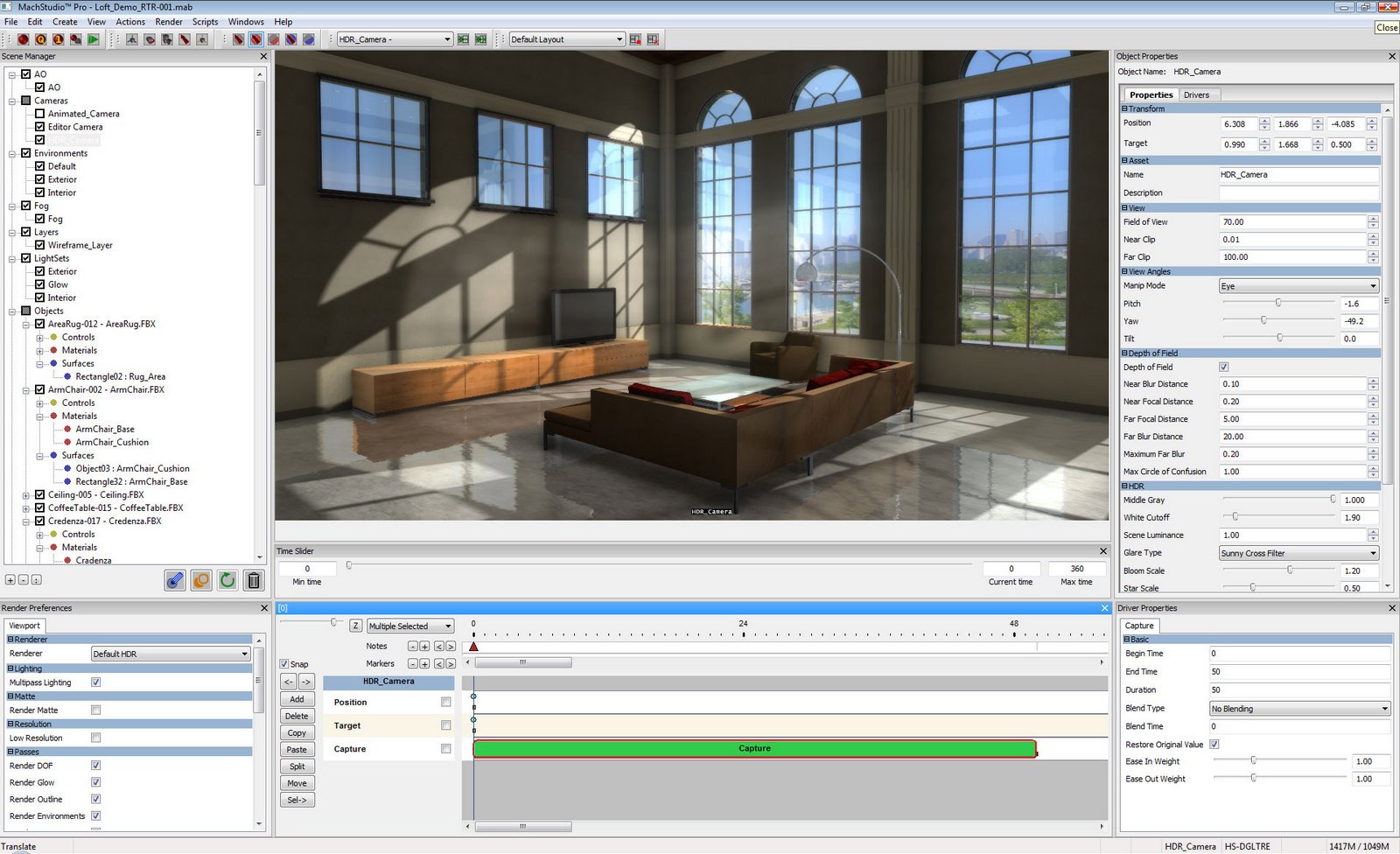
Last week I saw a very slick demo of a brand new rendering, animation and composition package called MachStudio Pro from a relatively new company called studioGPU.

The name of this LA-based outfit gives a lot away as the entire product has been designed from the ground up to be powered by GPUs (Graphics Processing Units), specifically high-end ATI FirePro cards from AMD, and the workstation’s CPU hardly gets a look in when rendering a scene, with only 10-15% of its capacity used at peak.

The upshot of this is extremely quick rendering times, so quick in fact that photorealistic real-time rendering is starting to become a reality. The effect of any changes made to lighting, shaders, cameras and materials can be seen in the scene nearly instantly, albeit at lower resolutions. Users can adjust light intensity and high dynamic range exposures, control surface reflection and refraction, adjust depth of field, and cast shadows and manipulate their softness all in near real time and most important all to production quality. You don’t need to hit a ‘render’ button until you want to do final HD renders and even then, these are also incredibly quick.

To put this into perspective, studioGPU claims that its software is 500 to 900 times faster than traditional rendering packages (though doesn’t state the number of CPU cores this is compared to). It also says that MachStudio Pro can render a complex 1.98 million polygon high-definition image in 14 seconds while the same scene rendered with a traditional rendering package can take more than three hours to complete.

However, StudioGPU was keen to point out that MachStudio Pro is not just an accelerated renderer but offers a completely new workflow with compositing and finishing capabilities also included. It also has a full timeline editor for animation.

MachStudio Pro is a standalone product and to get data into the system you need a plug in for your CAD or DCC application. These are currently available for Rhino, 3ds Max, Maya and SketchUp, but studioGPU told us that they are already developing for SolidWorks, Catia, Revit and ArchiCAD, with others set to follow. It also accepts FBX files.

The interface is far from basic, particularly when compared to a product like HyperShot, but is nicely laid out and makes good use of sliders to adjust the scene. It’s certainly much less intimidating than 3ds Max or Maya for new users, partly because it doesn’t include any modelling tools. When the question of usability for novice users was raised, studioGPU told us that it is considering developing products which are specifically targeted at non-expert architects and designers with a view to streamlining the interface a little.

MachStudio Pro doesn’t work with any ordinary GPU and it is so crucial to make the system work effectively that each license comes bundled with a monster of a graphics card – AMD’s 2GB ATI FirePro V8650 (N.B. AMD has a strategic relationship with studioGPU). However it’s important to realize that a card of this power and size is not compatible with any ordinary desktop PC due to power and size restrictions. Instead, you’ll need a high-end workstation, so check your machine specifications before you dive in.

Now I’m no rendering expert, but I have to say I was gobsmacked with the speed and quality of renders, and the control you have over scenes with near instant feedback is simply astounding. Moving rendering to the GPU is an extremely exciting development and the potential to revolutionize the design visualisation workflow is huge. According to studioGPU this could also spell an end to traditional CPU-based render farms. Very exciting technology.


Comments:

9fly – what are you waiting for? 1.9 just released, and it has great new capabilities.

Thomas Teger
Director of Marketing
Bunkspeed

Posted by Thomas Teger on 01 January 1970 at 12:00 AM

@info:

I believe what you said. I've try working with vray, maxwell render, fryrender and just now make up my mind to try hypershot. No other above mention rendering software can get close to HS in speed.

There are still something more to develope in HS but really this software is fast. Faster than needed for render one scene. My work no need realtime presentation and modification but this software save a lot of time for try many material solutions. And most of all, these scenes are believable and you can take time to think of other issues in the project.

Posted by 9fly on 01 January 1970 at 12:00 AM

I am sorry but the render quality from image you show here or it is in their website is nowhere good enough. With Vray or Mentalray or even the Holomatix Rendition that uses mentalray shaders seems much better.

lucklucky

Posted by Anonymous on 01 January 1970 at 12:00 AM

Disclaimer: I don't work for Bunkspeed.

We purchased Hypershot 6 months ago and it has fundamentally changed the way we work in out Industrial Design office.

What we used to do in 2 weeks we can achieve in less than a day.

We do 90% of our concept work in 3D in SolidWorks and have always included one or 2 rendered images to accompany illustration views for concept presentation, but with limited realism and lots of Photoshop post-processing.

Hypershot is near real-time on or Core7 hardware; GPU is not relevant. We are working at least 10-times faster than with any other rendering tool we have tried. (Photoworks, NuGraf, Alias Studio) Hypershot allows us to simulate OLED's, glowing effects, emissive properties and we are constantly learning how to simulate visual and transparency effects.

I have installed it across the studio on every station. The plug-in allows you to export to the Hypershot environment with one click. The accuracy allows us to discuss surface detail and curvature instantly.

The learning curve is almost flat. New users produce incredible effects within 1 hour.

We now use it in real-time during customer meetings for surface and color discussions and related design activities.

There is no question in my mine that real-time is incredibly useful. Hopefully this SW will provide further competition and advance the trend.


NB: These images take 20 SECONDS to resolve to this quality at 1900 x 1200 in real time. (static view)
8 minutes to render at 3600 x 2200 to TIFF with Alpha channel.

Mike.


http://www.project-samples.wingspan-design.ca/documents/hypershot/wd003-mdt-family.jpg

http://www.project-samples.wingspan-design.ca/documents/hypershot/x102-flip-camera.jpg

http://www.project-samples.wingspan-design.ca/documents/hypershot/x201-indian-v90.jpg

http://www.project-samples.wingspan-design.ca/documents/hypershot/wd001-quick-shave-man.jpg

http://www.project-samples.wingspan-design.ca/documents/hypershot/wd002-quick-shave-woman.jpg

Posted by info on 01 January 1970 at 12:00 AM

Jared, the system is $5,000

Posted by Greg Corke on 01 January 1970 at 12:00 AM

Mark,

Thanks for your comments. From what I have seen of the two products, the quality of images from MachStudio Pro are far superior to those generated using SolidWorks RealView. They're also targeting different workflows – RealView is for the designer, MachStudio Pro is for the design viz specialist.
SolidWorks RealView is a true real time renderer whereas MacStudio Pro is only near real time – a very fast progressive renderer. I'm hoping to hook Al up with the developers to get his views on it as he has far more knowledge of rendering systems than I do, but you should take a look, I think it's a good tech.

Posted by Greg Corke on 01 January 1970 at 12:00 AM

any idea what this system costs per user?

Posted by Jared on 01 January 1970 at 12:00 AM

Al,

Don't be fooled. This is strictly my opinion, and I have not had first-hand exposure to the product, but looking at their spec-sheet, there is nothing on it that we don't do with SW RealView or have access to do through the most current OpenGL shaders and a moderate to high-end Graphics Cards from both NIVIDIA and ATI. What isn't a surprise is that there is no mention of real-time "ray-tracing" which might sound minor but means a world of difference when you start to discern a photo-realistic rendering from a truly photographic rendering. For instance, I’ll bet that if you have two glass bottles in a MachStudiopro scene, that you will not see each other’s reflection in each bottle not to mention refraction of a scene (or other object in the scene) thru the bottle. Also they talk about “simulated” global Illumination – this could be simply Ambient Occlusion or taking shortcuts like performing GI using just the environmental image. In short, be wary when GPU’s are involved to create Photo-realism, because I can assure you that there will be a lot of tricks being played to try to fool the eye in order to trade off photorealism for performance.

Mark Biasotti

Product Manager – New Product Concepts
Dassault Systèmes SolidWorks

Posted by mbiasotti on 01 January 1970 at 12:00 AM

Leave a comment

Enter the word you see below:

Latest D3D jobs

Design Engineer

Thu, 09 Feb 2012 07:32:39 +0000

Design Specialist/Engineer

Thu, 09 Feb 2012 07:30:23 +0000

CAD / CAM PROGRAMMER

Thu, 09 Feb 2012 07:09:07 +0000

Project Design Engineer

Mon, 06 Feb 2012 10:44:52 +0000